A low cost per lead can look reassuring while the sales team receives enquiries it cannot use. Some prospects want a service the business does not offer. Others are outside the service area, expect a different price or never respond. The campaign may be generating activity without creating the right opportunities.
Review lead quality across the search, the advertisement, the landing page and the follow-up process. Each can influence who enquires and whether the team can convert that interest into a useful conversation.
Agree what a suitable lead means
Start with the sales or delivery team. Define the service requirement, location, timing and other factors that make an enquiry relevant. Avoid a label such as “bad lead” without a reason; it is difficult to improve a campaign using an unexplained rejection.
Use a manageable set of CRM statuses and rejection reasons. “Outside service area,” “wrong service” and “duplicate enquiry” reveal different problems. Keep definitions consistent so the feedback reflects customer quality rather than differences between reviewers.
Inspect the searches behind the enquiries
Review the search terms report alongside the service offering. Look for mismatched intent, adjacent services and geographic requirements. Not every query is visible in the report, so use it with enquiry feedback rather than treating it as a complete record.
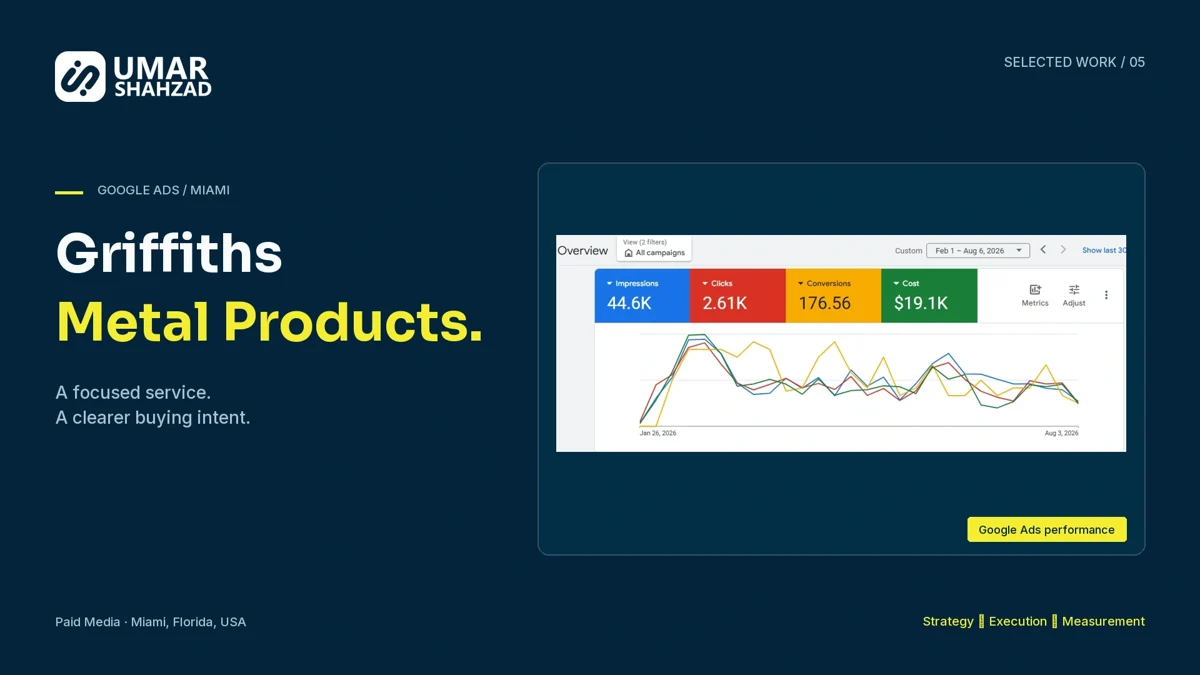
The Griffiths Metal Products campaign focused on metal-fence installation instead of advertising the entire service range. A defined service made the relationship between the search, message and page more specific.
Qualify through clear messaging
An advertisement should accurately describe the service and relevant conditions. The page should explain who the service is for, the process and the next step. Clarity can reduce unsuitable enquiries without creating a difficult form for suitable customers.
If the main problem is price expectations, examine the offer explanation. If people request an unrelated service, examine targeting and wording. If the problem is location, review both campaign settings and how the service area is described on the page.
Check what the campaign is optimising towards
Review the selected conversion goals and their action settings. Google’s conversion-goal guidance explains how primary actions and campaign goals affect bidding, including the special treatment of secondary actions in custom goals.
A campaign focused on an easy contact action can optimise for volume that does not reflect qualified opportunities. When downstream measurement is ready, evaluate enhanced conversions for leads and offline measurement under the applicable product requirements and your approved data handling process. Verify event definitions and deduplication before changing optimisation settings.
Review the response process before rejecting the channel
Check whether enquiries are delivered, assigned and answered while the need is still relevant. A delayed response can make a promising lead appear uninterested. Ask the team to record the first-response time and next action, not only the final status.
Compare cost per enquiry with cost per suitable enquiry over a consistent period. Allow for the time needed to qualify the recent leads. A new campaign’s unreviewed enquiries should not be compared with an older campaign’s completed sales pipeline.
Use a short weekly review
Bring together spend, enquiry count, suitable lead count, rejection reasons and follow-up status. Choose the most frequent avoidable issue and make one targeted change. Record what changed so the next review can explain the result.
For the reporting foundation, read why campaign and CRM counts differ. For the operating layer, use a clear lead follow-up process.